Free Online UUID Generator for Single & Bulk UUIDs with Custom Time
A UUID generator creates universally unique identifiers (UUIDs). These are 128-bit values that identify records, files, and objects across systems.
Use this free UUID generator tool for quick UUID generation. Choose a version from v1 to v8, set how many you need, and generate. This new UUID generator also supports custom time for supported versions.
Need a UUID generator for bulk work? Copy all results in one click, or download them as TXT, CSV, JSON, or SQL. The UUIDGenerator below keeps everything in one place.
Shortcuts: C copy · R new uuid · G generate bulk
Generate UUID Online for Free
Need a UUID right now? This free online UUID generator creates a unique 128-bit ID in your browser within a second, with no sign-up. Click Generate, copy the result, and use it in your code, database, or test data.
Every UUID is created on your device, so nothing you generate is sent to a server. Whether you want a web UUID generator for a quick value or a bulk list, the same tool handles both.
Choose a UUID Version
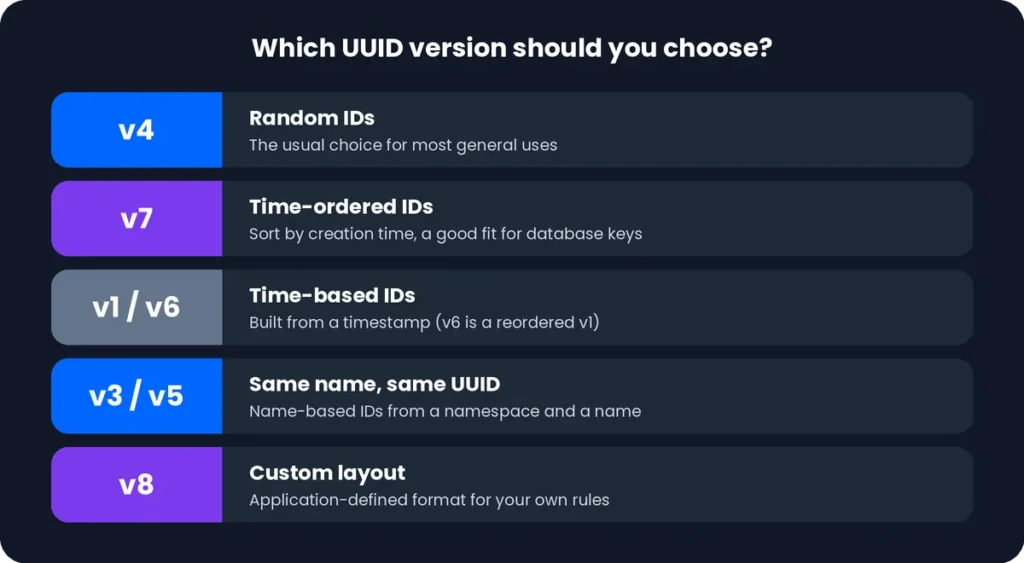
Each UUID version suits a different job. Version 4 is random and the most common choice, while version 7 includes a timestamp so IDs sort by creation time. Pick the version you need from the tabs before you generate.
Select Other UUID Versions
The tool also supports v1, v3, v5, v6, v8, the nil UUID, and the max UUID. Select the version your system asks for, and the generator updates the output right away.
|
Version |
One-line description |
Link |
|---|---|---|
|
v1 |
Time-based ID built from a timestamp and a node value. |
|
|
v2 |
DCE Security ID that adds a local domain and a user or group ID. |
|
|
v3 |
Name-based ID created from a namespace and a name using MD5. |
|
|
v4 |
Built from random numbers, the usual choice for general IDs. |
|
|
v5 |
Name-based ID created from a namespace and a name using SHA-1. |
|
|
v6 |
A reordered v1 that sorts by time. |
|
|
v7 |
Time-ordered ID that starts with a Unix millisecond timestamp. |
|
|
v8 |
Application-defined layout for your own rules. |
What Is a UUID?
A UUID is a universally unique identifier. It is a 128-bit value used to label records, files, and objects so they never clash across systems.
It is written as 32 hexadecimal characters in five groups.
Here is a UUID: 550e8400-e29b-41d4-a716-446655440000
The current standard is RFC 9562, published in May 2024. It replaced RFC 4122.
What Does UUID Stand For?
UUID stands for Universally Unique Identifier.
“Universally” means the ID is designed to stay unique across different computers, databases, and applications. No central registry is needed to assign them.
What Does a UUID Look Like?
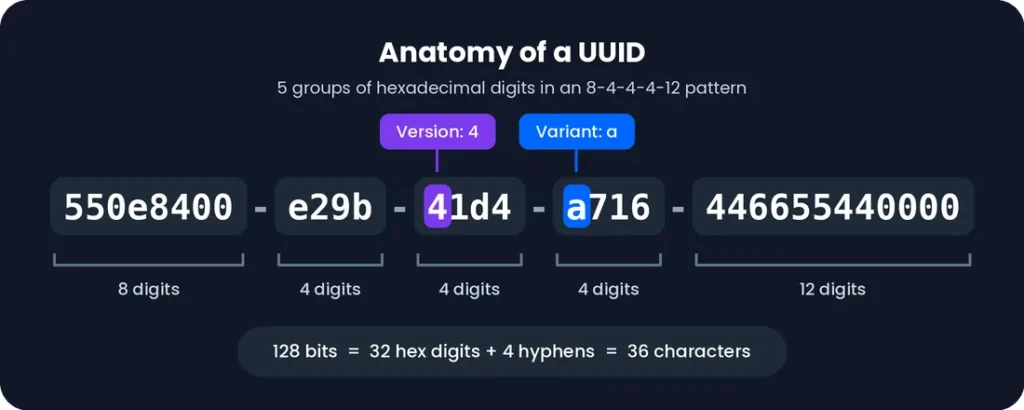
A UUID is 32 hexadecimal digits in five hyphen-separated groups, following an 8-4-4-4-12 pattern.
550e8400-e29b-41d4-a716-446655440000
Two digits carry meaning. A UUID’s version is the first digit of the third group, which is 4 in this example. The first digit of the fourth group is the variant; in standard UUIDs, it’s 8, 9, a, or b.
How Long Is a UUID?
A UUID is 128 bits (16 bytes) long.
In text form, it is 36 characters: 32 hexadecimal digits plus 4 hyphens. Without the hyphens, it is 32 characters.
What Is a UUID Used For?
Developers use UUIDs to give every item its own ID without relying on a central counter. Common examples are:
- Database record IDs
- Identifiers shared between APIs and distributed systems
- Files, sessions, and other objects
See Common Uses of UUIDs below for more detail.
What Is the Difference Between a UUID and a GUID?
In practice, there is no difference. Both are the same 128-bit identifier with the same 8-4-4-4-12 format.
GUID (Globally Unique Identifier) is Microsoft’s name for it. UUID is the term used in IETF standards and across other platforms. RFC 4122 itself notes that UUIDs are also known as GUIDs.
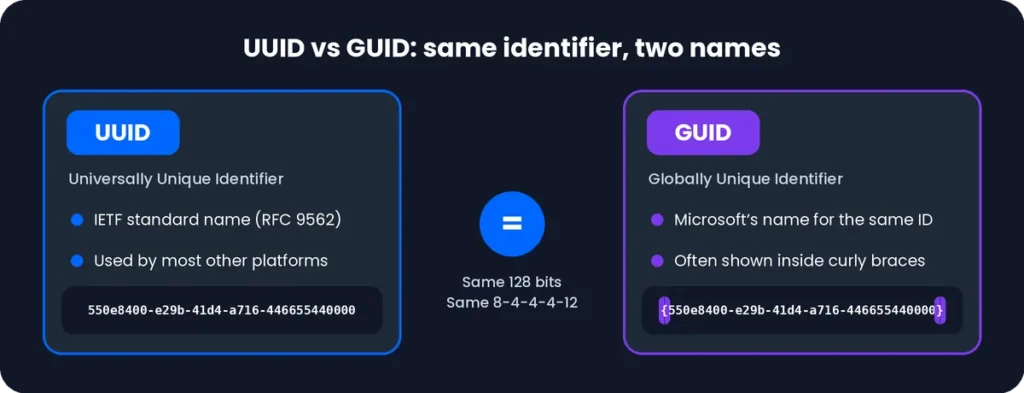
Two small differences exist. Microsoft tools often show GUIDs inside curly braces. Some older Microsoft systems also store the first three groups in a different byte order.
Common Uses of UUIDs
UUIDs are used wherever many systems need to create unique IDs without sharing a counter. These are the most common uses.
Database Record Identification
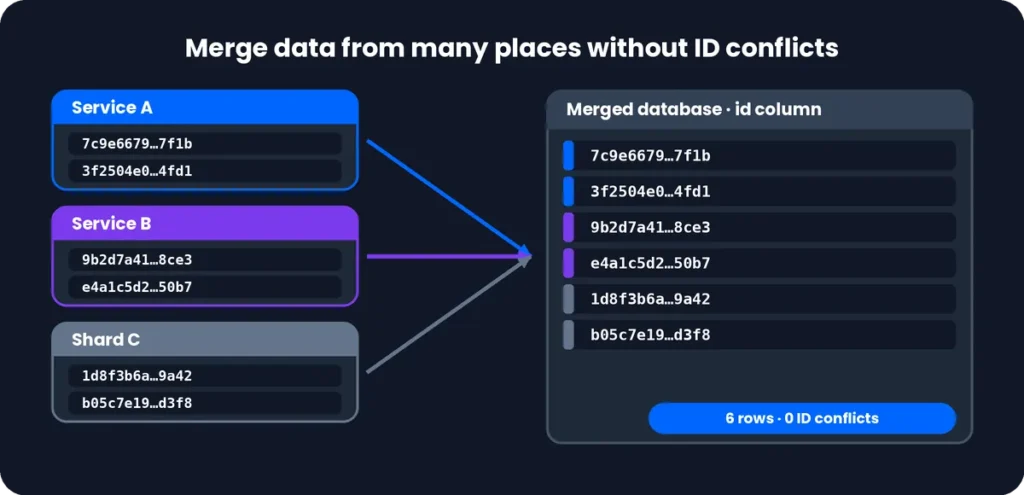
A UUID can be a record’s primary key, so rows get unique IDs even when they are created in different places, such as separate services or shards.
Because no central counter is needed, data from several databases can be merged without ID conflicts.
A UUID takes 16 bytes, more than a typical integer ID. Fully random UUIDs can also slow inserts on large tables. Time-ordered versions such as v7 reduce that problem.
Application and Software Development
Developers use UUIDs for user IDs, order IDs, session identifiers, rs and background-job IDs. IDs can be created in the app itself, before the data is sent to a server.
This makes UUIDs useful in offline-first and mobile apps, where records are created without a connection and synced later.
API and System Identification
APIs use UUIDs as public resource IDs. Unlike sequential numbers, they don’t reveal how many records exist.
They also work as:
Testing and Development Environments
- Idempotency keys, so a retried request, such as a payment, isn’t processed twice
- Correlation IDs, so one request can be traced across logs and services
A UUID is an identifier, not a secret. Don’t rely on it alone to protect access.
Developers fill test fixtures, seed scripts, and mock API responses with valid UUIDs. Generating many at once saves time when you need a large set of unique values.
You can also use UUIDs as unique labels for test runs, temporary records, and sample data.
Identifying Files, Objects and Resources
UUIDs make safe, unique names for uploaded files. They avoid name clashes and keep the original filename, which a user controls, out of your storage paths.
They also identify objects in storage buckets, cache entries, queue messages, and other resources that need one stable ID.

UUID Generator Features
UUID generator brings the options most developers need into one page, from a single quick value to a large batch.
Free Online UUID Generation
Every visitor can use this unique UUID generator without paying or signing up. Open the page, click Generate, and the value appears in your browser.
The same process works for a one-off test ID or for a generator UUID step inside a larger project.
Support for Multiple UUID Versions
The tool supports diverse project requirements by including standard UUID versions—v1, v3, v4, v5, v6, v7, and v8—alongside nil and max values.
Single and Bulk UUID Generation
Generate one UUID for a quick check, or create up to 1,000 at once when you need a UUID number generator for seed data or mock records.
Enter the count, and the full list appears in one box. Each value in the batch is generated on its own.
Custom Timestamp Generation for Supported Versions
For versions that carry a timestamp, you can set the time the UUID should hold instead of using the current moment. This helps when IDs must match a past event, a log entry, or a fixed date.
One-Click Copy and Download
Copy a single UUID with one click, or copy the whole list at once. To keep the results, download the list as a .txt file that opens in any editor or spreadsheet.
The copy and download buttons work the same on phones and desktops.
Download UUIDs in Different Formats
Different tools need different file types, so the generator lets you save your list in the format that fits your work.
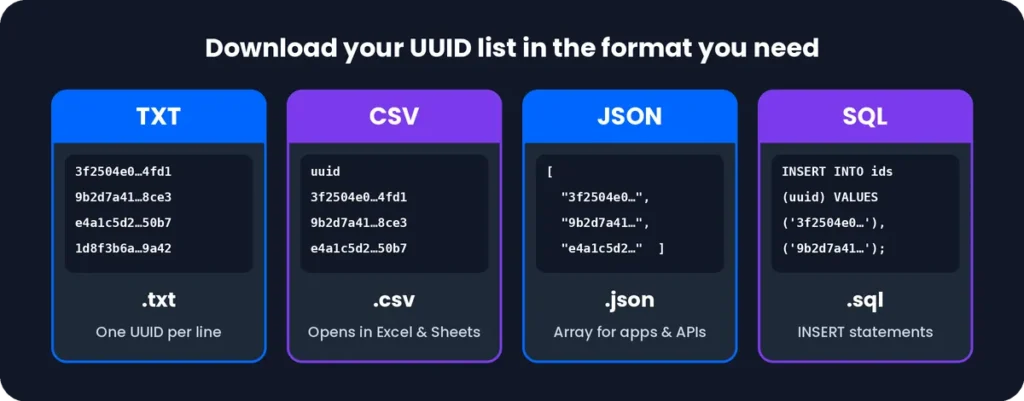
Download UUIDs as TXT
A TXT file holds one UUID per line, which makes it easy to read, paste, or feed into a script. Choose this option for simple lists and quick imports.
Download UUIDs as CSV
A CSV file opens directly in Excel and Google Sheets, with each UUID in its own row. Use it when you need to sort, filter, or share the list with a team.
Download UUIDs as JSON
A JSON file stores the UUIDs in an array that APIs and applications can read without extra parsing. Pick this format for test fixtures and mock API responses.
Download UUIDs as SQL
An SQL file contains INSERT statements that fill a table with your UUIDs. Use it to seed a development database quickly, then run the file in your SQL client.
Clear Generated UUID Results
Clear the output box to start a fresh batch without reloading the page. The previous results are removed from the screen, so copy or download anything you still need first.
Frequently Asked Questions About UUIDs
A UUID generator is a tool that creates universally unique identifiers (UUIDs), which are 128-bit values used to identify records, files, and objects. This one lets you pick a version, choose how many to create, and copy or download the results.
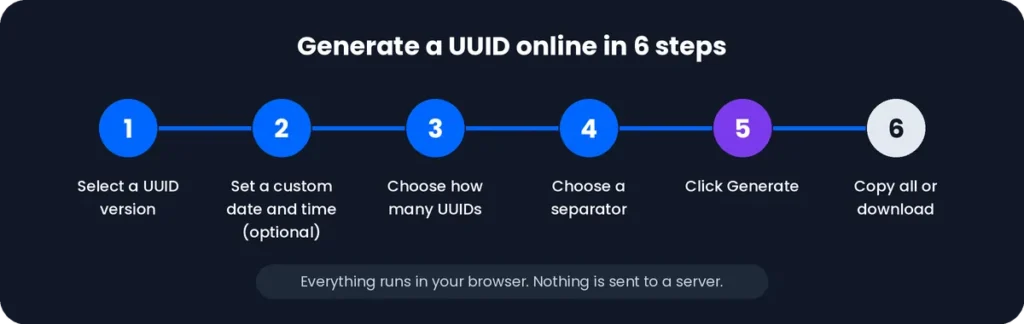
- Select a UUID version.
- Set a custom date and time if the version supports it.
- Choose how many UUIDs you need.
- Choose a separator.
- Click Generate.
- Copy all results or download them.
Yes, this UUID generator is free to use. You can generate single or bulk UUIDs, copy them, and download them in the available formats.
Yes. Set the quantity before you click Generate. This works for one UUID or for a whole batch, so it suits test data and seed files. Use Copy All or a download to take the full list.
Yes. Both are available in the version selector, and the other versions are listed there too. Use v4 for random IDs and v7 for time-ordered IDs.
Yes, for supported versions. Time-based UUIDs contain a timestamp, so you can set a date and time before generating. Versions that don’t use a timestamp ignore this option.
Yes. Click Copy All to copy every generated UUID in one go. You can then paste the full list into your code, database, or spreadsheet.
You can download your UUIDs as TXT, CSV, JSON, or SQL. Use TXT for a plain list, CSV for spreadsheets, JSON for apps and APIs, and SQL for database inserts.
Yes. Choose a separator, such as a new line, before you generate. The results are then arranged the way you want, which saves time when you paste them elsewhere.
In practice, yes. A UUID can’t be guaranteed unique in the mathematical sense, but a collision is extremely unlikely. A random v4 UUID has 122 random bits, so duplicates are astronomically improbable when generated correctly.
Yes, in practice. GUID is Microsoft’s name for the same 128-bit identifier, and both use the same 8-4-4-4-12 format. UUID is the term used in IETF standards and on most other platforms.
Choose by what you need:
v4: random IDs for most general uses
v7: time-ordered IDs, which suit database keys
v1 or v6: time-based IDs
v3 or v5: the same name always gives the same UUID
v8: custom layouts